

SkunkDrummer walkthrough 02: make half-time feel heavy
Use space, a beat-three snare, controlled low end and one open-hat lift to make a slow groove move without filling every step.
Half-time works because the backbeat gets room. This 76 BPM example keeps the snare on beat three, lets the kick answer it, and saves the brightest hat for a deliberate lift. The image is the actual SkunkAudio pads and sequencer workflow; the demo uses fixed SkunkDrummer renders and an authored pattern.
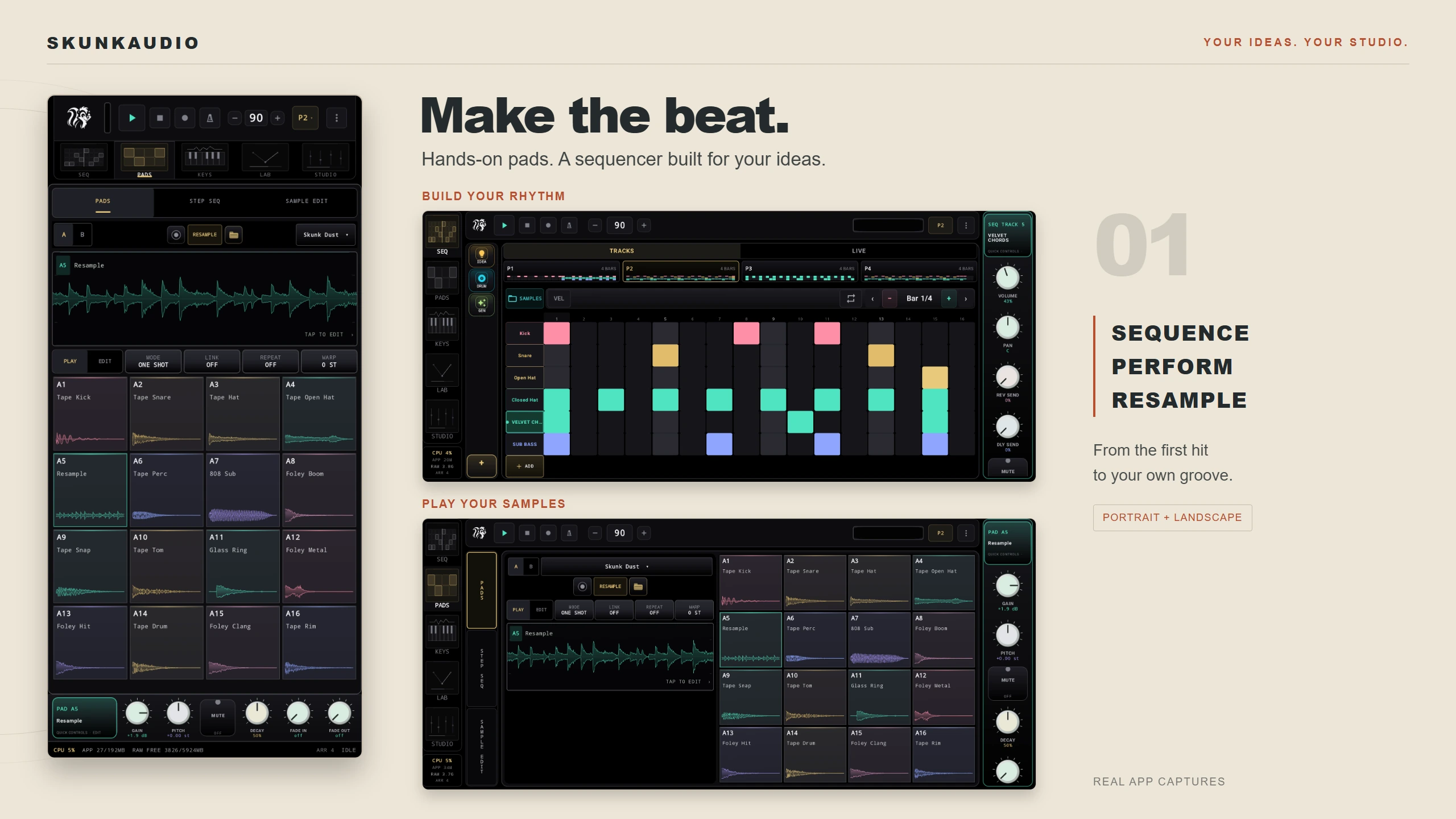
Build the core pattern
Open LAB → SkunkDrummer and set 76 BPM. Keep the sound choices purposeful:
- Kick — Heavybody: Pitch 40 · Decay 60 · Punch 76 · Click 30 · Noise 5 · Tone 68 · Drive 34 · Bend 92 · Bend T 34 · Sub 92.
- Snare — Drybody: Tune 28 · Tail 30 · Snap 72 · Ring 32 · Noise 34 · Shell 72 · Grit 14 · Wire T 72 · Wire D 48 · Rattle 72.
- Hat — Tip: short tail, bright edge; keep the level below the snare.
- Perc — Lowknock: low pitch and a restrained strike; use it as punctuation, not a second kick.
Enter the 16-step lanes (grid numbers start at 1):
| Lane | Steps | Job |
|---|---|---|
| Kick | 1, 7 | Establish the floor; leave the middle open. |
| Snare | 9 | The beat-three backbeat is the point of the half-time feel. |
| Closed hat | 1, 3, 5, 7, 9, 11, 13, 15 | Keep the pulse audible without making it frantic. |
| Low percussion | 16 | A quiet pickup into the next bar. |
Tap RUN and listen at a moderate level. If the kick masks the snare, reduce the kick lane or its OUTPUT first; adding more high end is not the fix. Use SEND → SEQ → EDITABLE STEP TRACK when the one-bar groove feels right.
Make the last bar open up
Duplicate the pattern in SEQ. On the final bar, add a kick at step 15 and replace the closed hat on step 15 with Openshimmer. Keep the rest of the hat lane unchanged. That single brighter tail creates a transition without turning the whole beat into a fill.
The audio preview follows that shape: the open hat appears only in the final bar. In SkunkDrummer, the HAT voice has its own lane, so program or edit that voice independently; don’t change the kick or snare pattern to get the lift.
Save the editable project before printing anything. Use SAVE → WHOLE 16-STEP LOOP only when you specifically want a rendered loop; choose SINGLE HIT / SAMPLE to keep a voice as a reusable one-shot.
Next: Arrange the drum idea into a short song · Back to walkthrough 01.