

SkunkDrummer walkthrough 01: build the pocket first
A practical 88 BPM drum session: shape four deliberate SkunkDrummer voices, program a pocket, add swing, and send the editable pattern into SEQ.
Start with a pocket, not a wall of sounds. This short session uses the SkunkDrummer Foundations kit and the actual SkunkDrummer voice and step controls. The screenshot shows the real LAB workspace; the playable example below is a fixed four-bar groove, not a randomized demo.
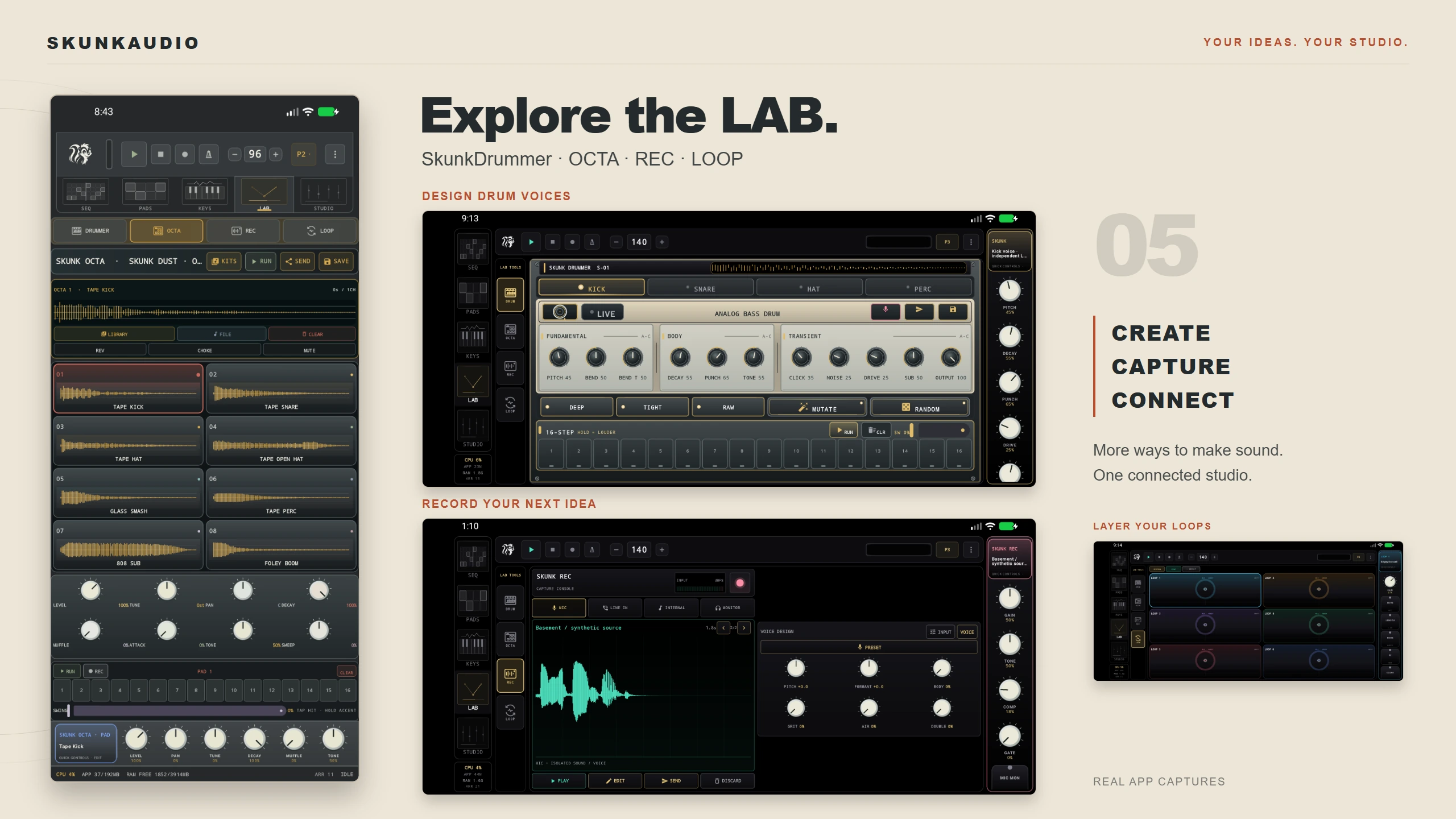
Shape four useful voices
Open LAB → SkunkDrummer. The four voice selectors keep their own sound and step pattern, so build one lane at a time. Avoid RANDOM and MUTATE for this exercise: use the values below as a repeatable starting point, then make only deliberate changes.
| Voice | Recipe name | Main controls (0–100) |
|---|---|---|
| Kick | Lowbed | Pitch 18 · Decay 72 · Punch 68 · Click 18 · Noise 5 · Tone 44 · Drive 14 · Bend 55 · Bend T 54 · Sub 80 |
| Snare | Wirecrack | Tune 45 · Tail 37 · Snap 85 · Ring 86 · Noise 92 · Shell 48 · Grit 18 · Wire T 25 · Wire D 60 · Rattle 55 |
| Hat | Dusthat | Tune 38 · Tail 16 · Metal 48 · Edge 50 · Air 72 · Tone 38 · Drive 5 · Spread 38 · Sizzle 62 · Open 52 |
| Perc | Woodrim | Pitch 44 · Decay 28 · Hit 74 · Knock 35 · Grit 4 · Wood 62 · Drive 10 · Reson 25 · Grain 48 · Body 60 |
These values map to the labeled controls on each voice faceplate. The ZIP includes the complete parameter manifest if you want to rebuild or inspect every sound.
Program the first bar
Set the project to 88 BPM. On each selected voice, enter a 16-step pattern; the step numbers below are the visible grid numbers, starting at 1:
- Kick: 1, 8, 11
- Snare: 5, 13
- Hat: 1, 3, 5, 7, 9, 11, 13, 15. Accent 1, 5, 9 and 13; keep the offbeats lighter.
- Perc: 4, 12
Use RUN to audition the loop. Add swing a little at a time; stop when the hats and percussion lean back without making the kick feel late. A held step is accented, as indicated by HOLD = LOUDER.
Turn the loop into the four-bar example
Use SEND → SEQ → EDITABLE STEP TRACK to keep the pattern editable. Duplicate the one-bar idea in SEQ and make small, intentional kick changes in later bars: bar 2 adds step 7 and moves the second hit to 12; bar 3 adds step 15; bar 4 shifts the final kick to step 14. Keep the snare on 5 and 13 so the listener still has a clear anchor.
The included audio is rendered from the named, fixed SkunkDrummer recipes in the download. If you want the exact kit sounds as files, save each voice with SAVE → SINGLE HIT / SAMPLE; choose WHOLE 16-STEP LOOP only when you want the pattern printed into audio.
Next: Give a half-time groove more weight · Arrange the loop into a song.